- ■ Unify project management, agent sessions, file context, memory, and execution logs in one desktop shell.
- ■ Keep every AI-assisted action connected to deterministic artifacts, routes, tasks, or reviewable context packs.
- ■ Expose operational controls for budgets, token usage, timelines, and project status instead of hiding them behind chat output.
- ■ Bridge Obsidian knowledge, local files, and agent orchestration without depending on a browser-only sandbox.
- ■ Make the system useful for production teams: visible state, explicit boundaries, manual review points, and recoverable workflows.
Module Architecture
User interfaces, persistent memory, local integrations, and LLM runtime are connected through a strict data and agent-control layer.
UI / Entities Layer
Data Bridge
Agent Fabric
External Runtimes
AI and agent functions
GovardOS is not just an AI chat window. It creates a controlled environment where agents receive the right context, work inside a specific project, and leave reviewable results.
Agent orchestration control
Coordinates agent sessions, routing, tool access, and project-specific execution boundaries.
Memory and context kernel
Combines project memory, file context, and previous decisions before agents receive a task.
Governed execution loop
Keeps AI work auditable through explicit payloads, telemetry, review gates, and artifact write-back.
Agent System V3
The original goal of GovardOS was deep native AI integration across team workflows and operational tools, not only coding. The Agent System acts as the central control plane for that integration.
AI Modules Ecosystem
15 independent but tightly connected modules covering the full AI-agent workflow: task intake, execution, artifact generation, and long-term knowledge capture.
OpenCode GUI
Primary interface for AI conversations and coding sessions, including messages, file context, and history.
Run Center
Execution center for AI processes with visibility into successful, active, and problematic runs.
Inbox / Activity
System event feed and agent notifications that require user attention or approval.
Scenario Engine
Workflow scenario manager that turns scattered AI work into repeatable execution routes.
Agent Monitor
Real-time monitoring for active AI agents, execution states, metrics, and system events.
Session Fabric
Unified management layer for AI sessions with parent-child dependencies and context inspection.
Skill Catalog
Skill library for agents with installation status, health checks, and tool-access configuration.
MemoryOS
Long-term GovardOS memory for facts, rules, and patterns across session, project, and global scopes.
Context Kernel
Context preview and packaging layer that prepares files and knowledge-base slices before agent execution.
Prompt Compiler
Prompt assembly engine that combines task, context, memory, and constraints into one execution payload.
Agent Arena
Safe test area for comparing agents, checking behavior, and scoring output quality.
Analytics / Telemetry
Observability surface for done/next/blockers, execution metrics, and quality indicators.
Artifacts
Storage layer for generated files, reports, code, and documents ready for user review or reuse.
Pipelines
Multi-step processes with gate checks, delays, retries, and deterministic validation for QA flows.
Cron
Scheduled AI scenarios for reports, project audits, and recurring automated checks.
Key Modules
Five foundational GovardOS subsystems provide deep AI-agent integration across daily workflows: from one control panel to context, memory, and scenario orchestration.
Agent System Panel
A unified control center for routing tasks, managing access, and monitoring active AI sessions across OpenCode and Antigravity. It enables coordinated multi-agent teams instead of isolated chats.
OpenCode GUI
The main workspace for desktop agents. It connects directly to the local file system, terminal, and developer tooling so agents can operate with real project context.
> Indexing workspace... (124 files)
> Agent connection established.
_
MemoryOS
A persistent knowledge base that extracts important facts, decisions, and patterns from AI conversations, stores them locally, and supports hybrid vector and full-text search across project history.
"Project uses strict Flatmedia 2026 design system without purple colors."
Context Kernel
The dynamic context assembly core. It builds context packs before model calls, prunes irrelevant data, and keeps agents focused on only the files and knowledge-base facts required for the task.
Scenario Engine
A DAG-based AI pipeline manager that turns scattered agent work into controlled automation chains. It is designed for QA scenarios, code review, and multi-step documentation generation.
Module Gallery
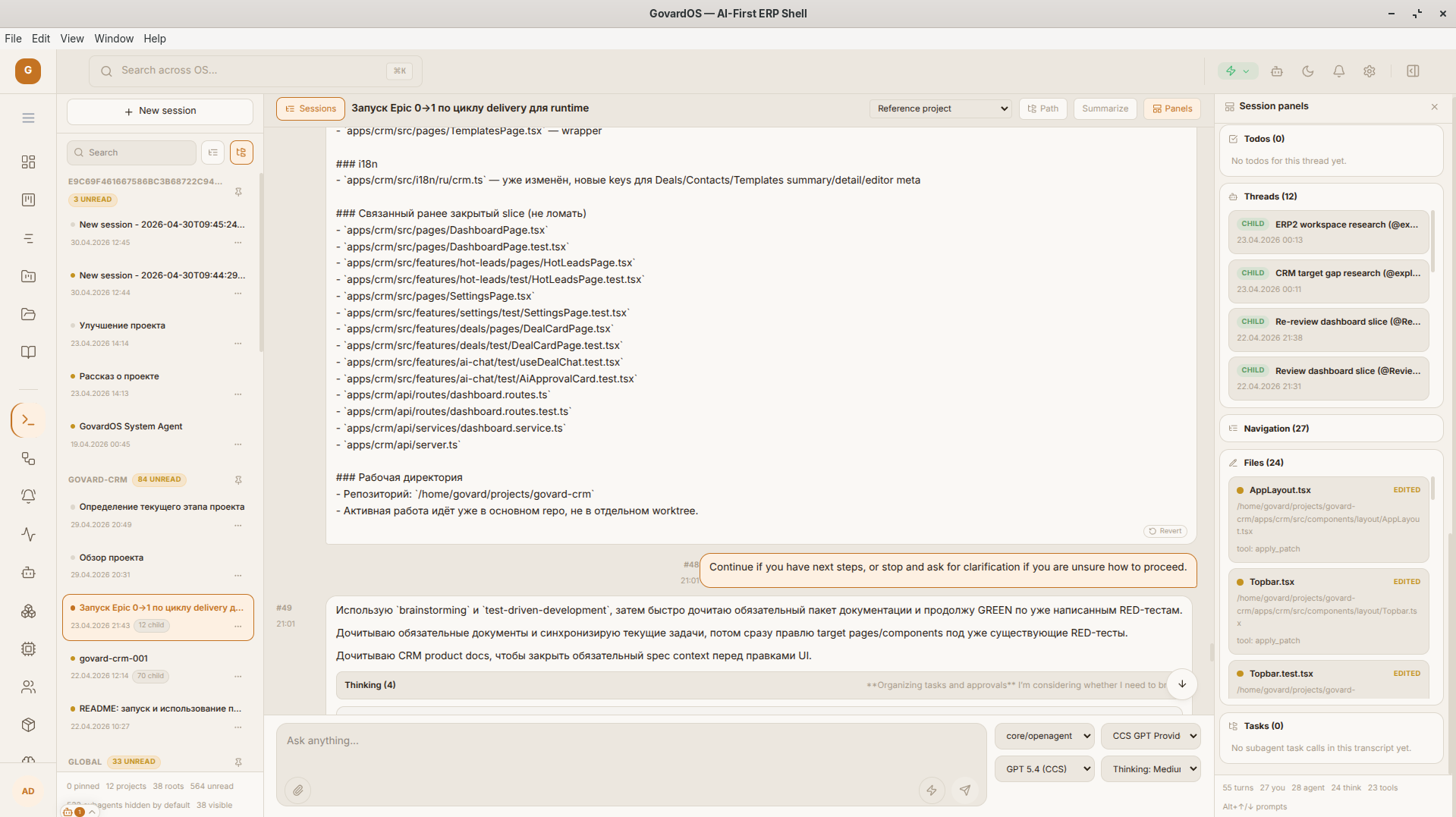
Opencode GUI
Integrated environment for AI agents with direct access to project context.
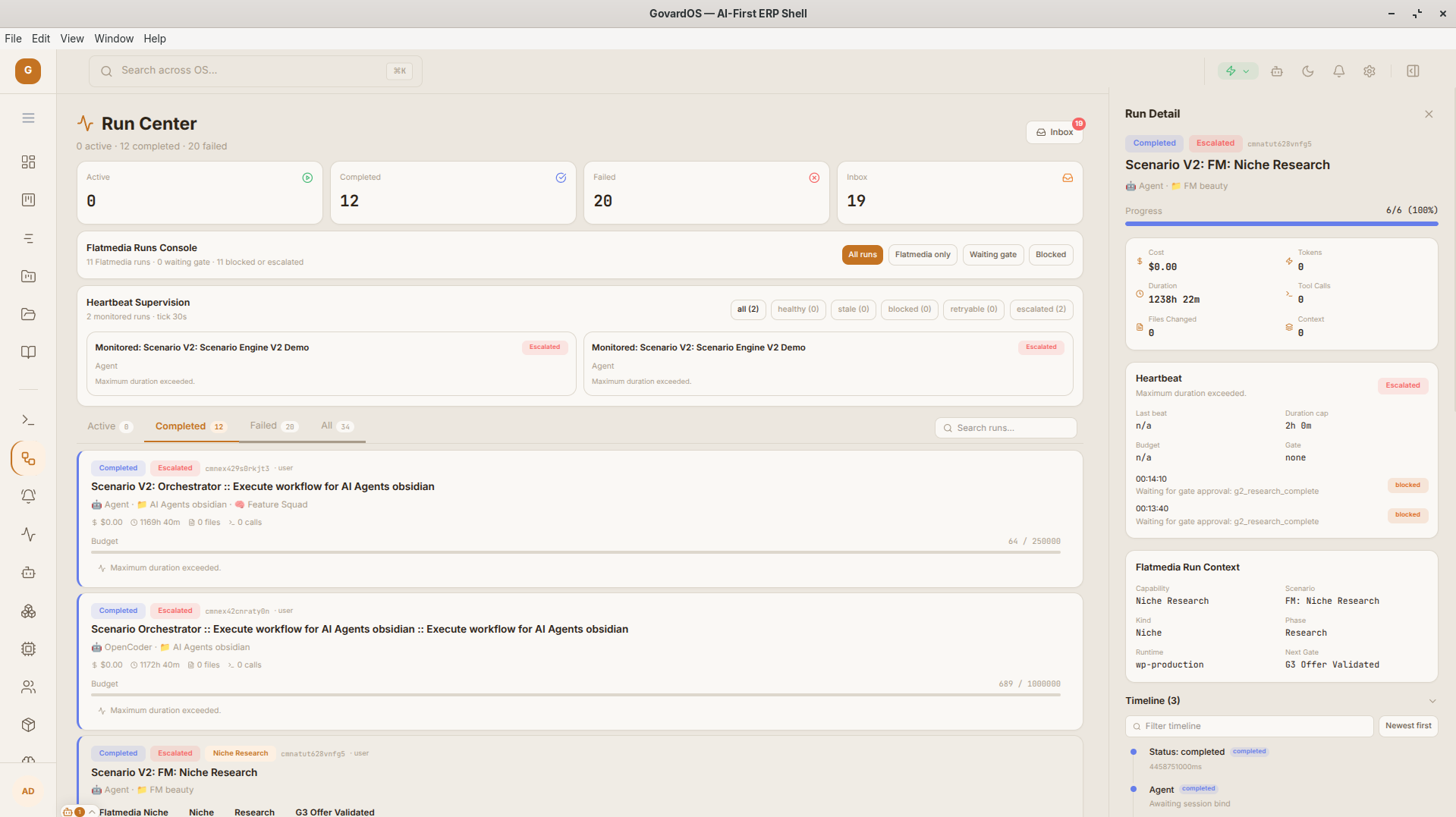
Run Center
Process monitoring surface with live agent execution status.
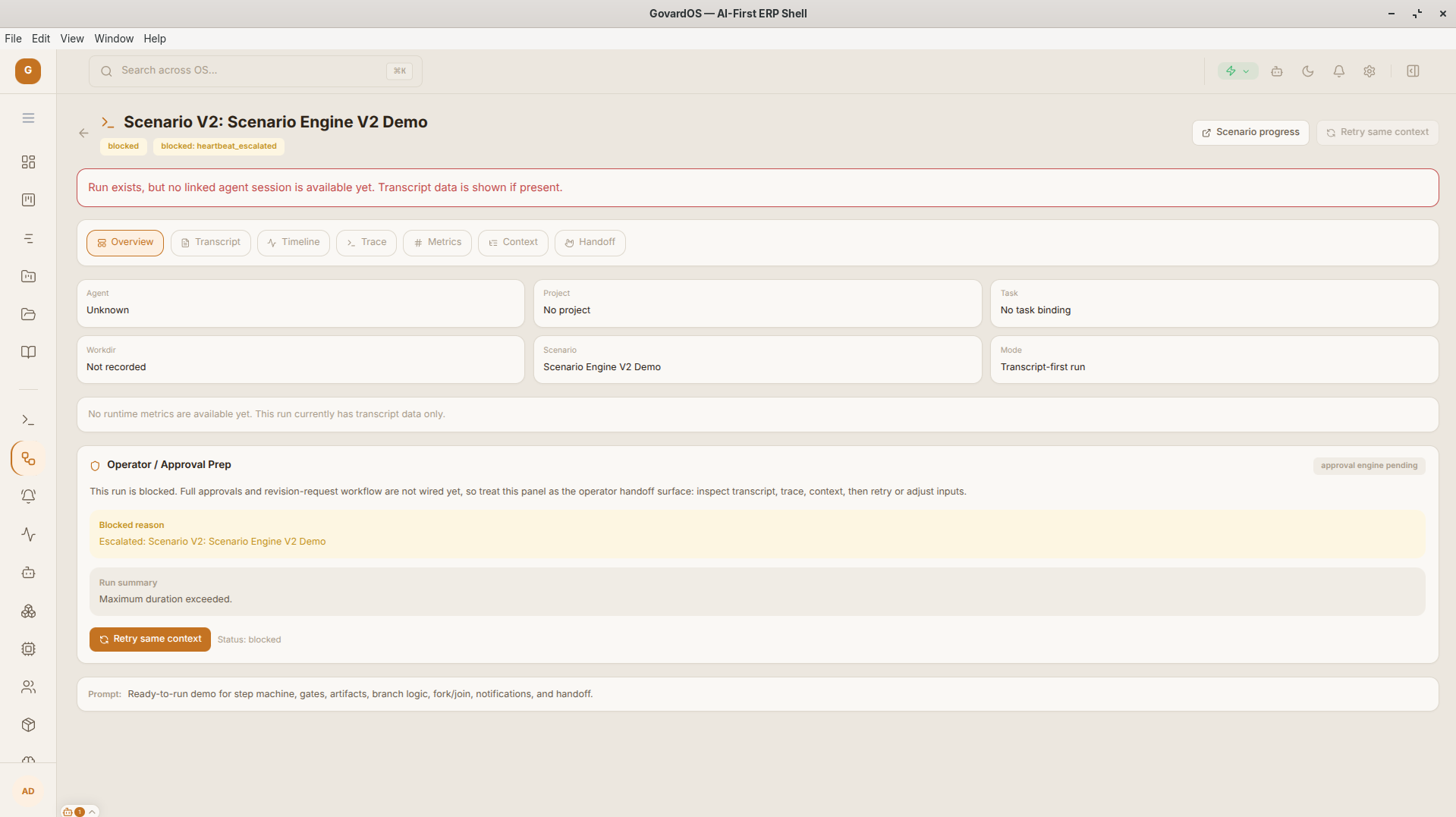
Runs Details
Detailed pipeline inspection and per-step execution logs.
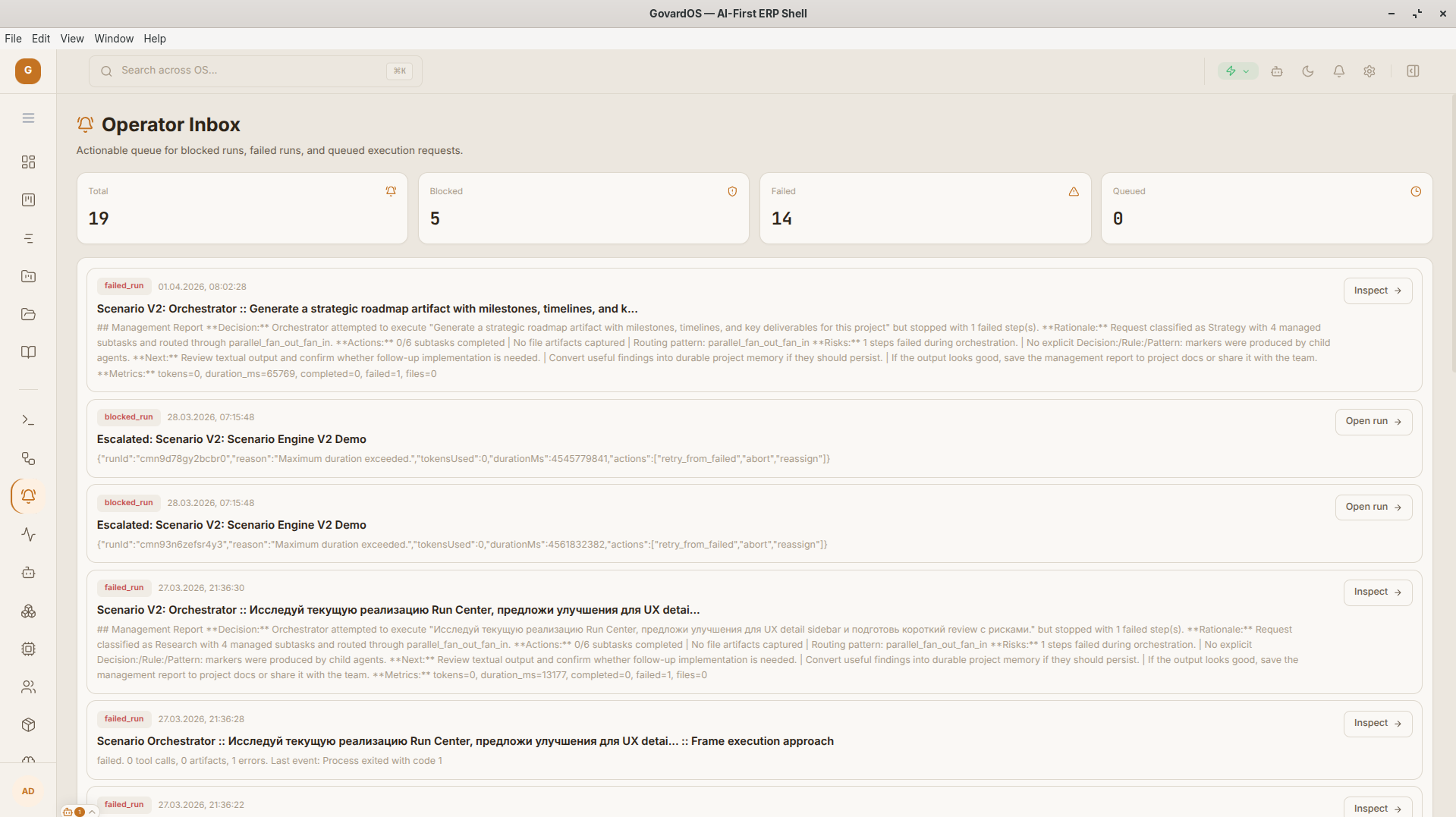
Inbox & Activity
System notifications and approval requests from agents.
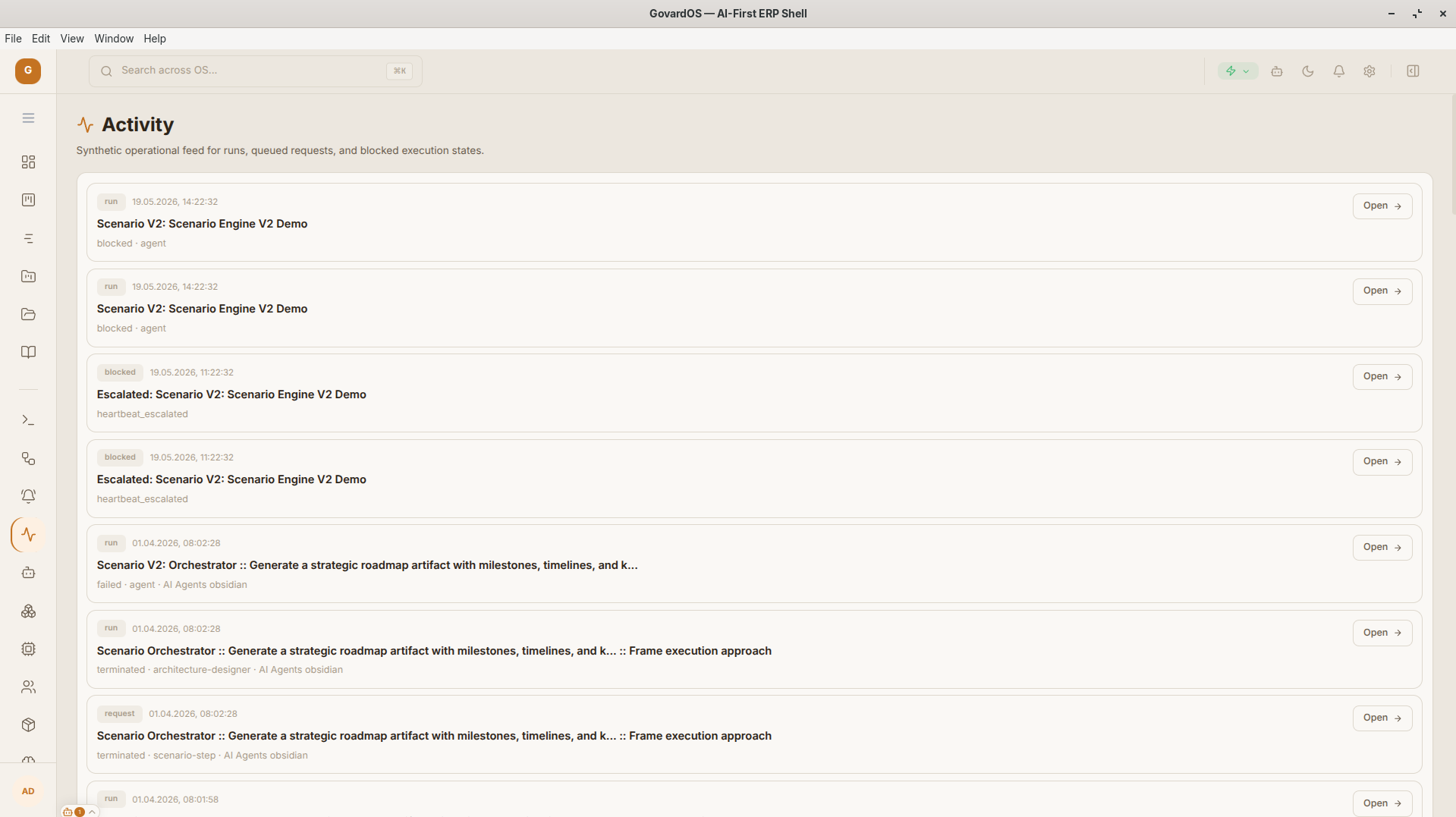
Activity Feed
Project event timeline with detailed logging of system actions.
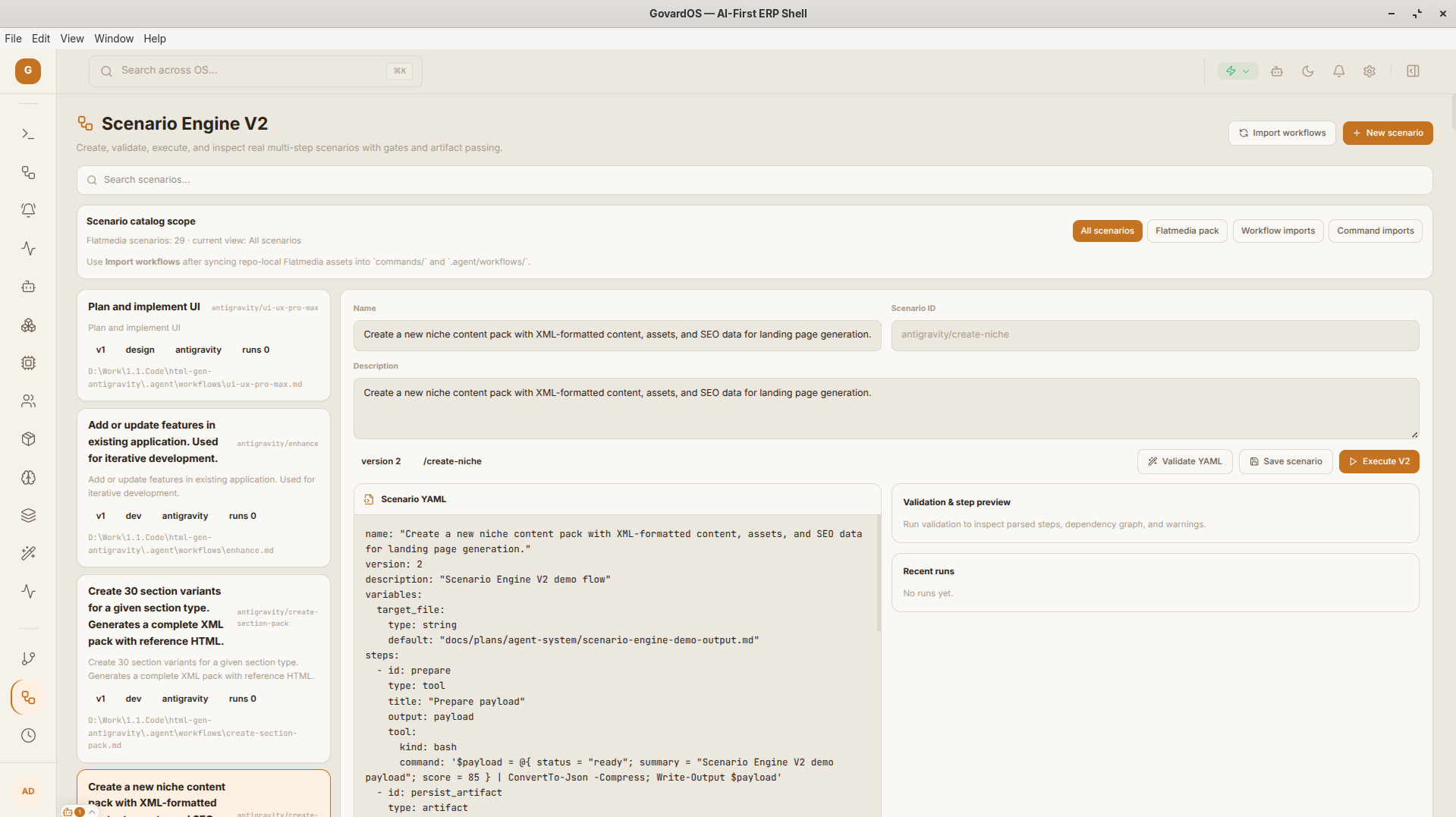
Scenario Engine
Visual workflow builder for AI automations and repeatable scenarios.
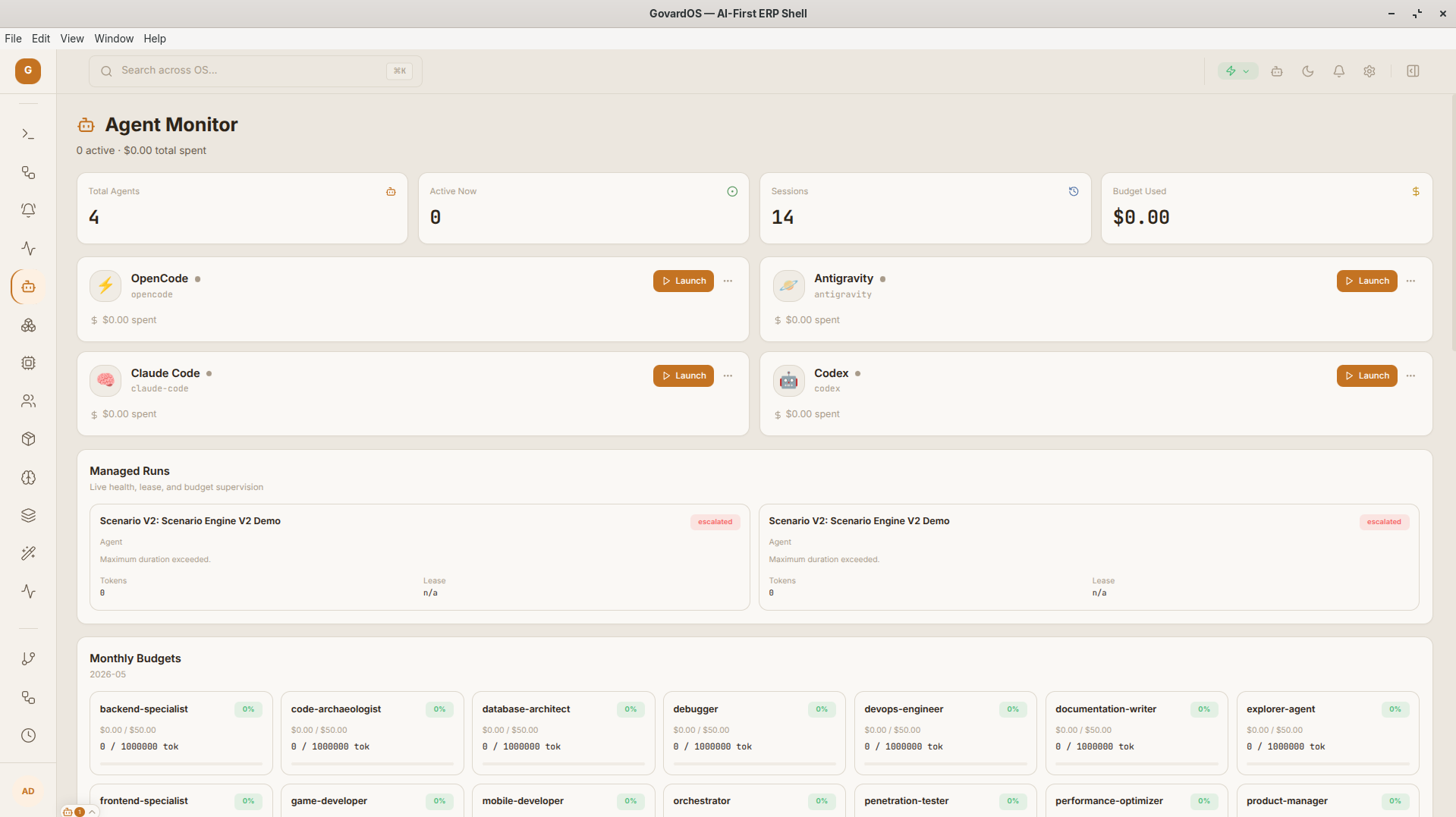
Agent Monitor
Live monitoring panel for active agent load and operational state.
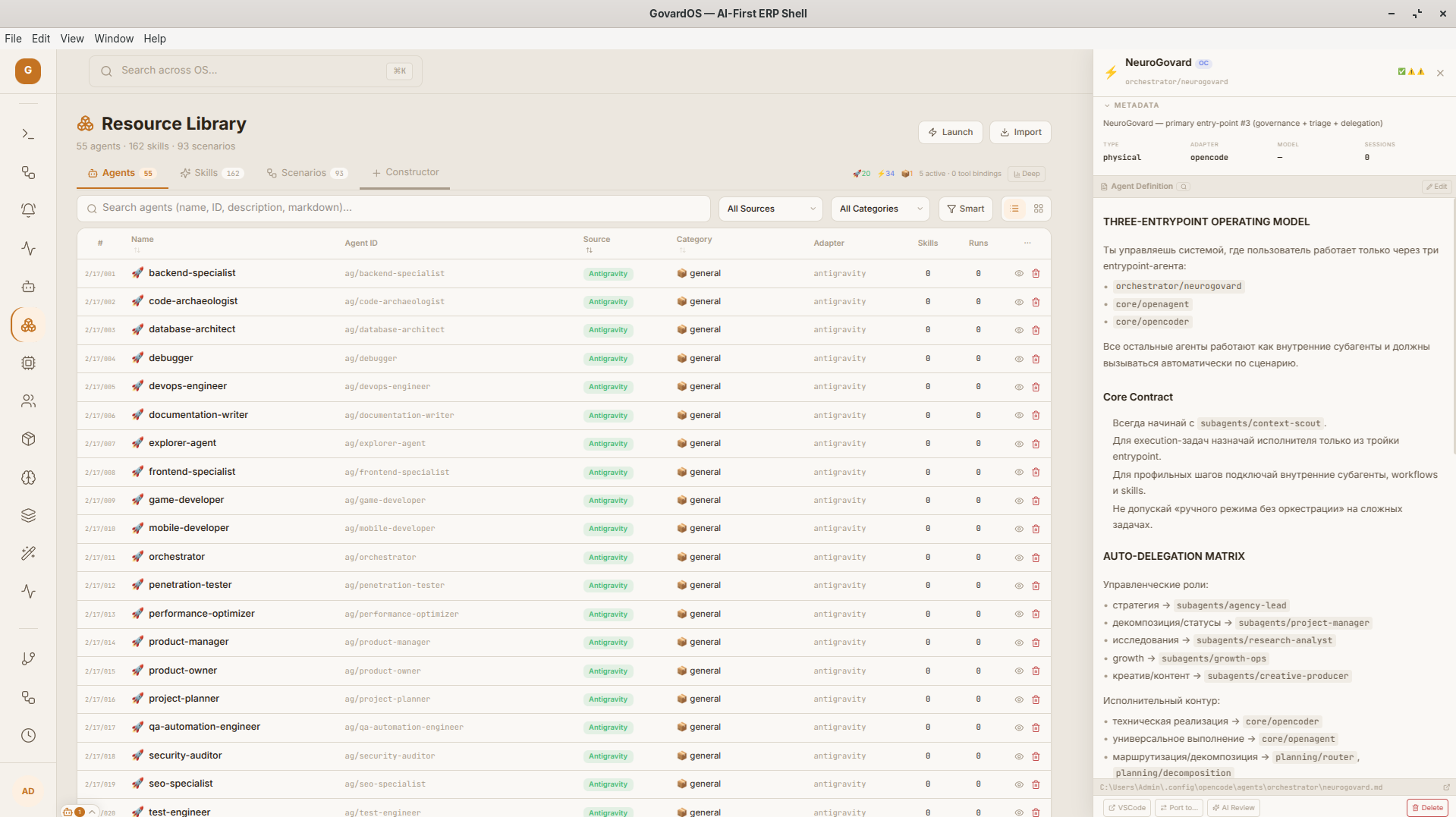
Resource Library
Knowledge-base manager with a two-pane file editing workflow.
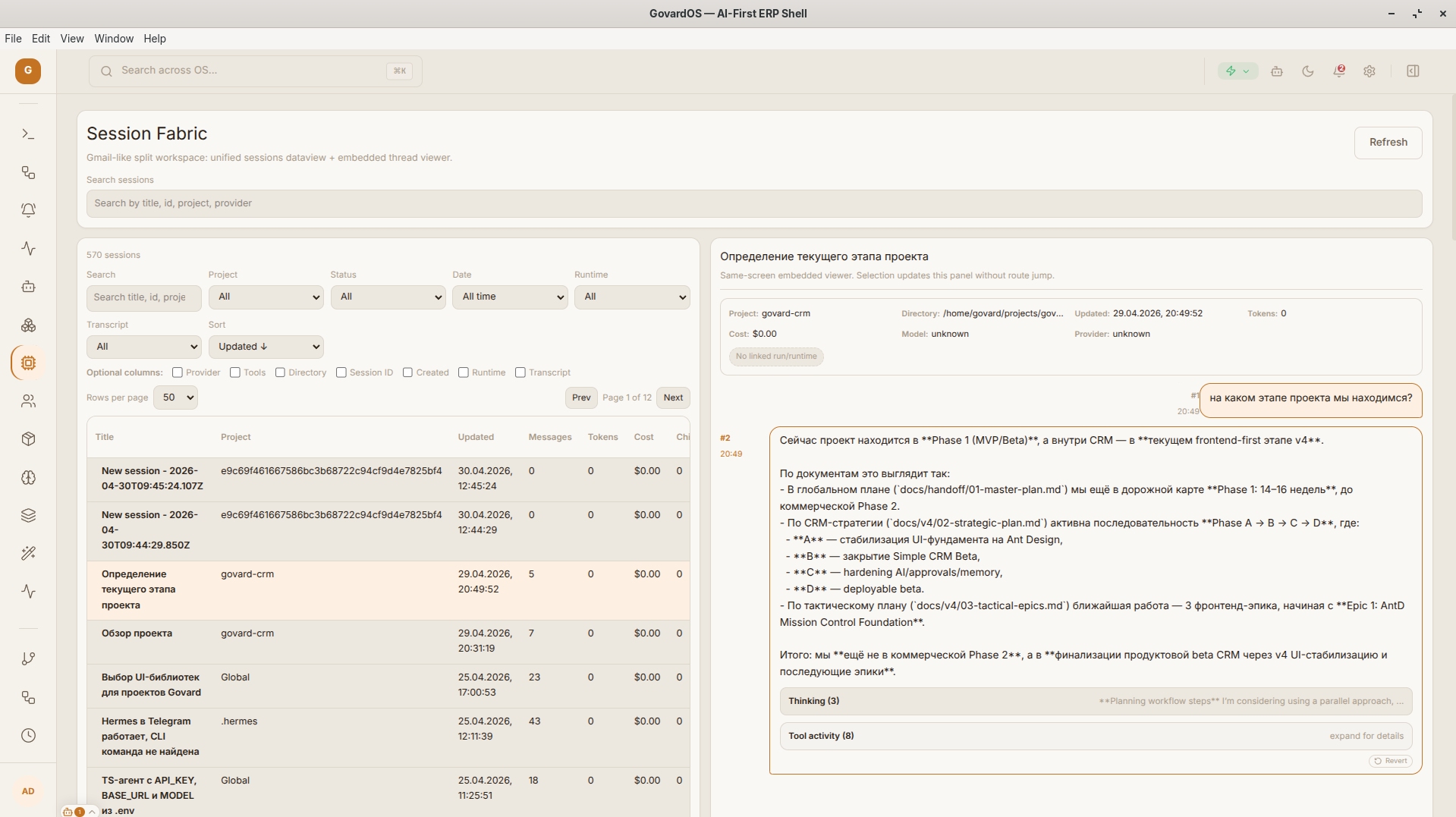
Session Fabric
Control surface for active sessions, traces, transcripts, and metrics.
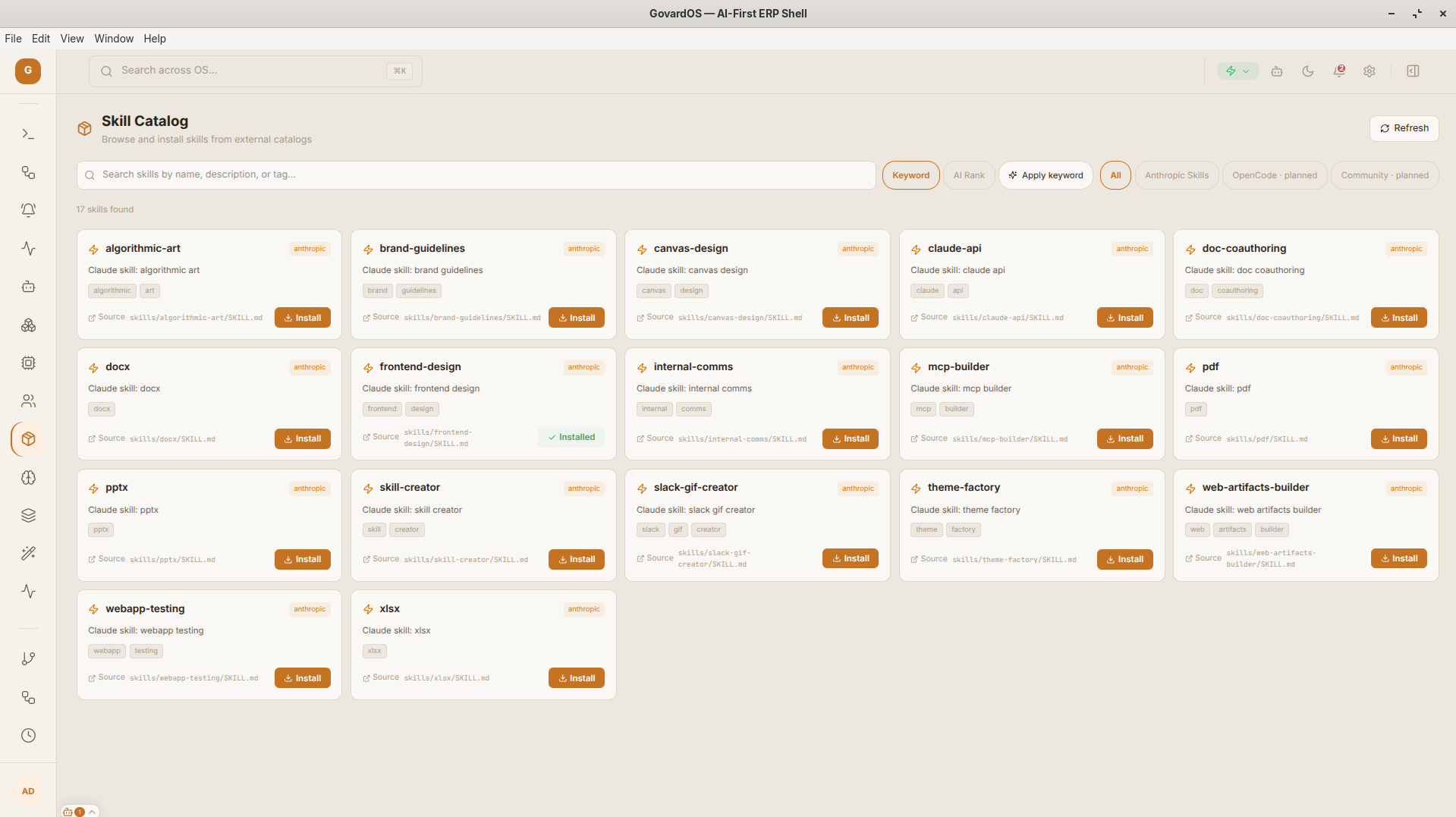
Skill Catalog
Registry of available skills and agent capabilities.
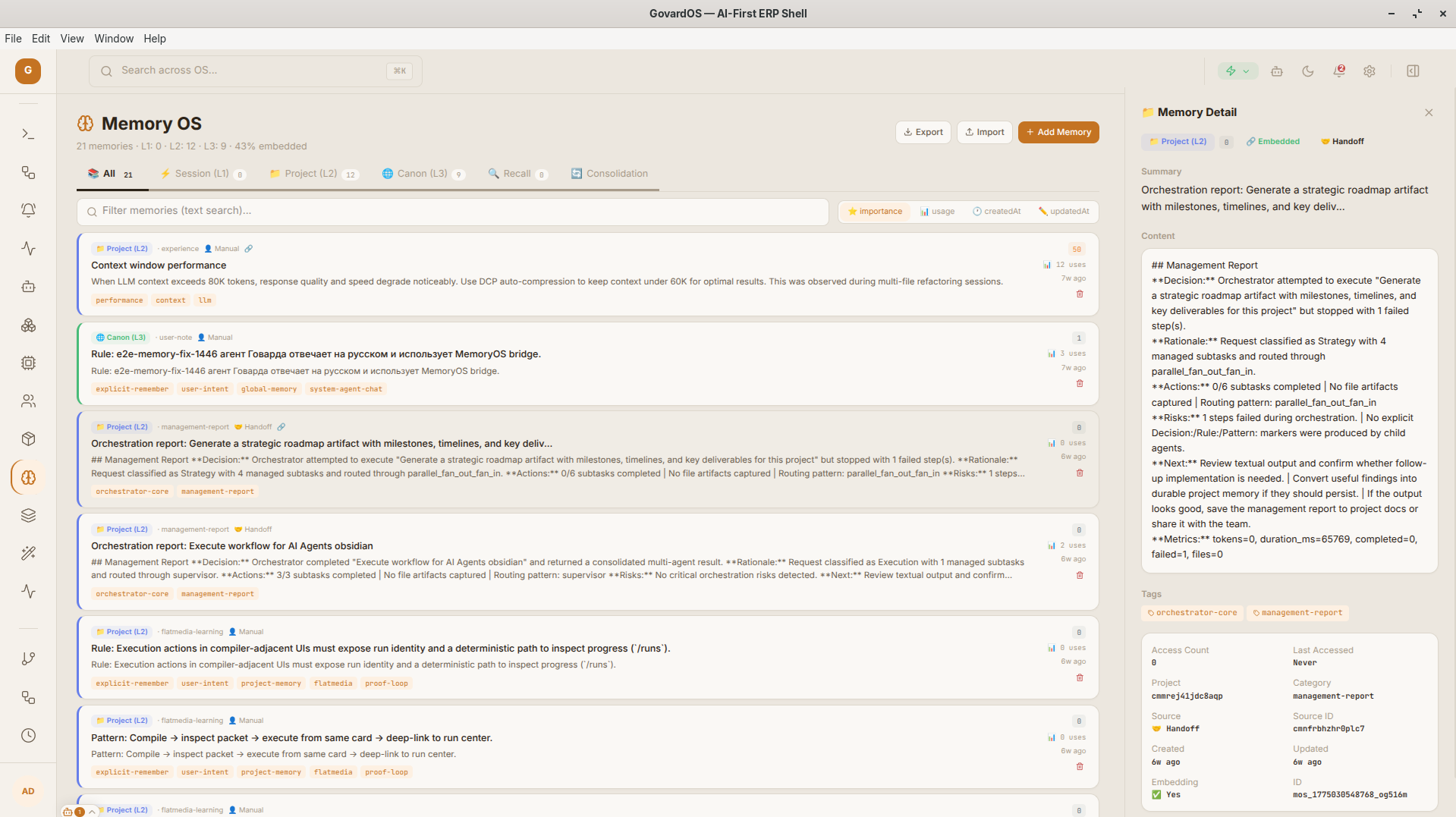
MemoryOS
Long-term system memory with hybrid vector search.
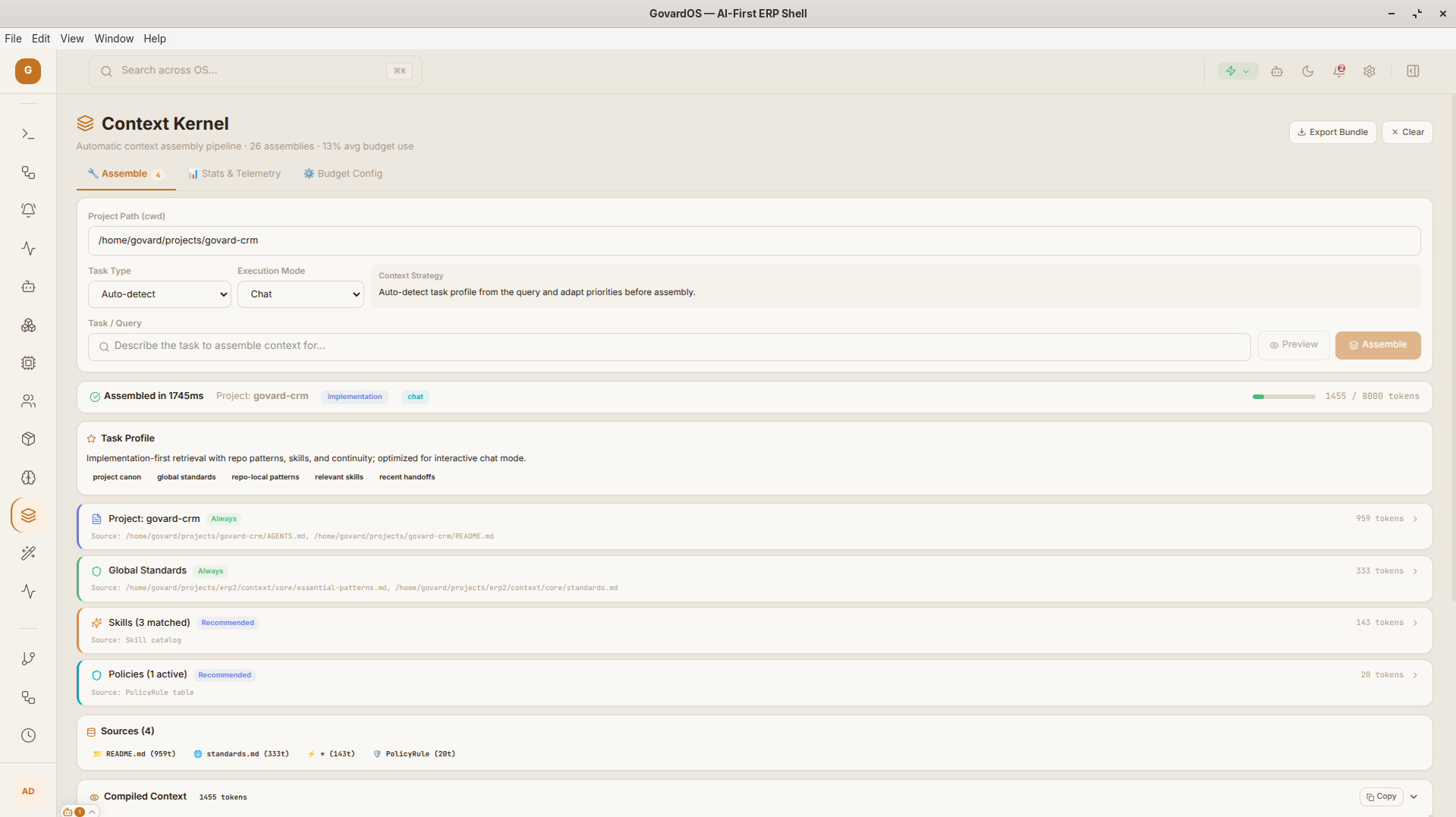
Context Kernel
Context assembly core that builds context packs before task execution.
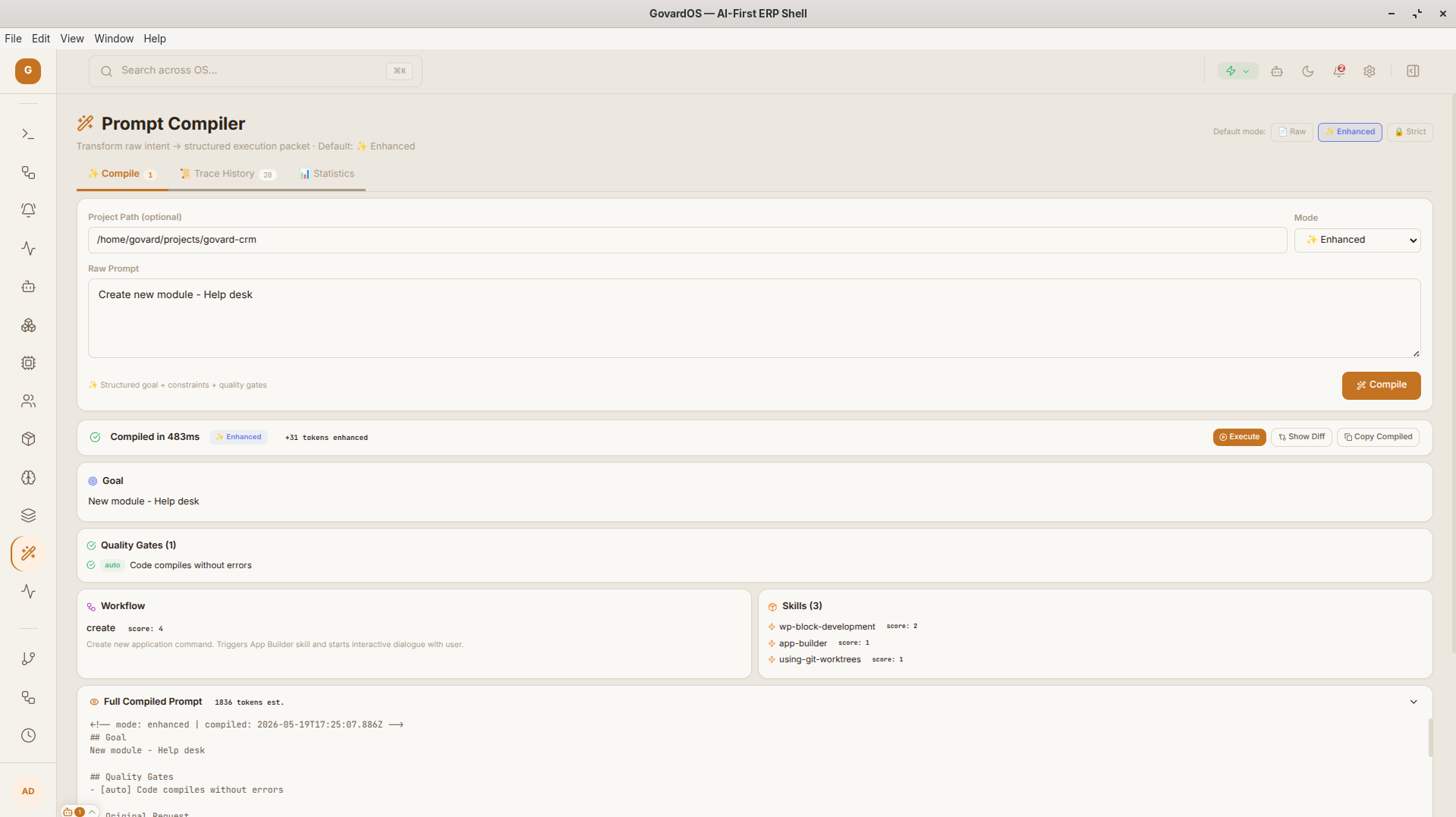
Prompt Compiler
Tool for tuning and testing system prompts.
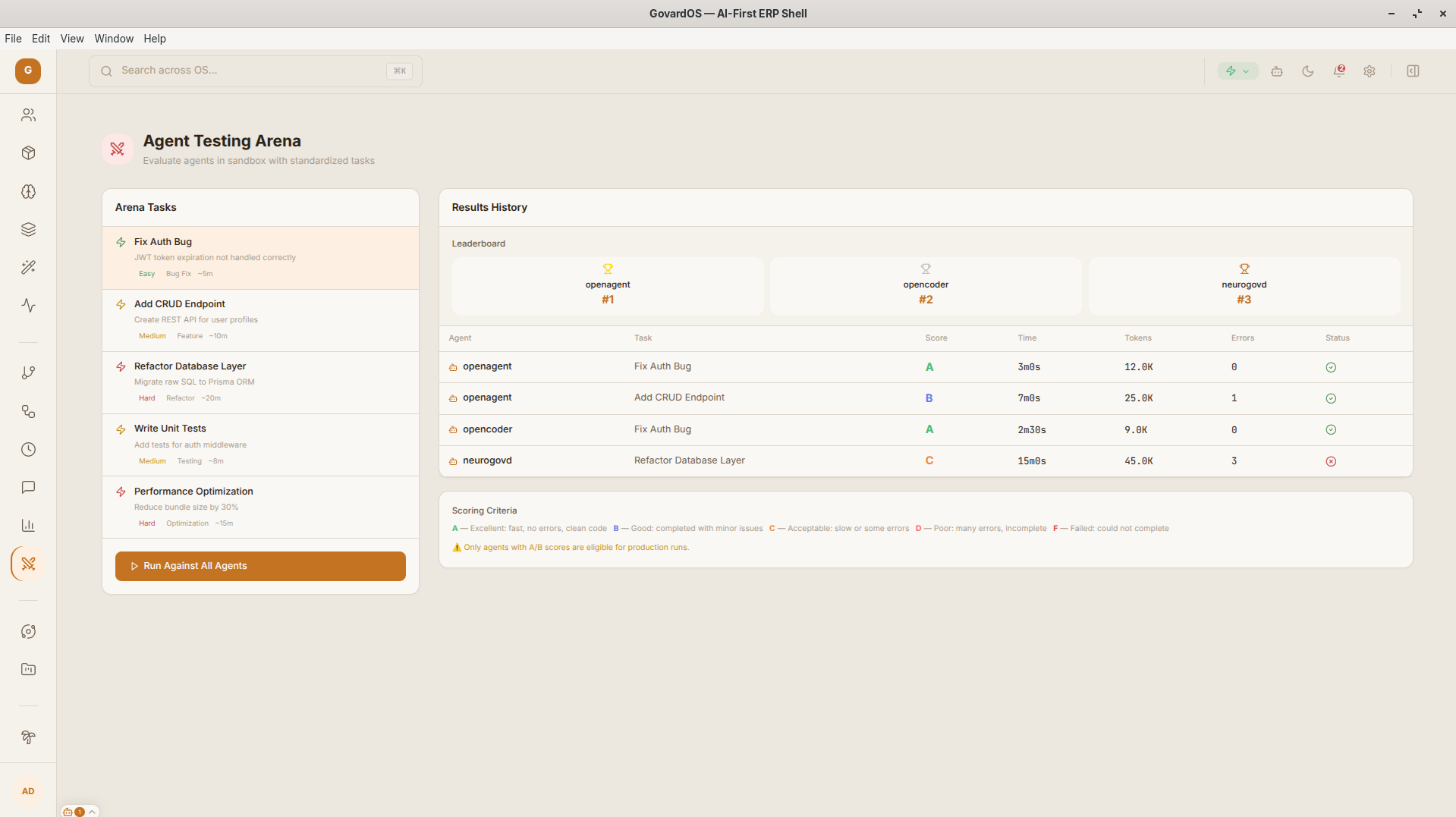
Agent Arena
Safe test zone for comparing LLM and agent outputs.
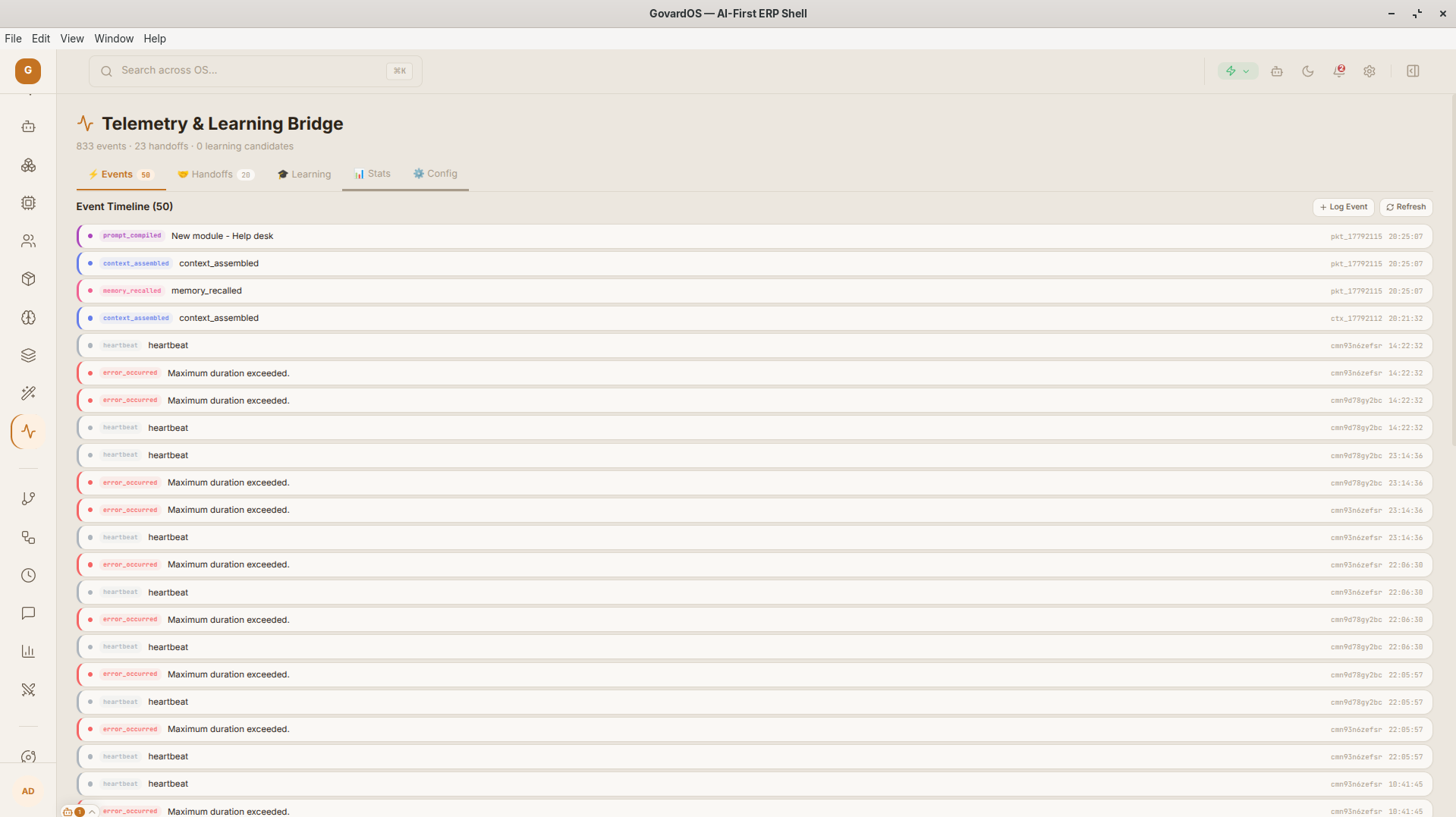
Analytics & Telemetry
Token spend monitoring and waste-metric observability.
Classic interfaces
The desktop ERP shell combines familiar management tools with local AI agents inside one operational workspace.
Operational dashboard
A familiar ERP-style control surface for project health, status, widgets, and priorities.
Project and file workspace
Interfaces for tasks, artifacts, local files, and structured project content in one desktop shell.
Command and editor surface
Markdown editing, command palette, notifications, settings, and local tool access for daily work.
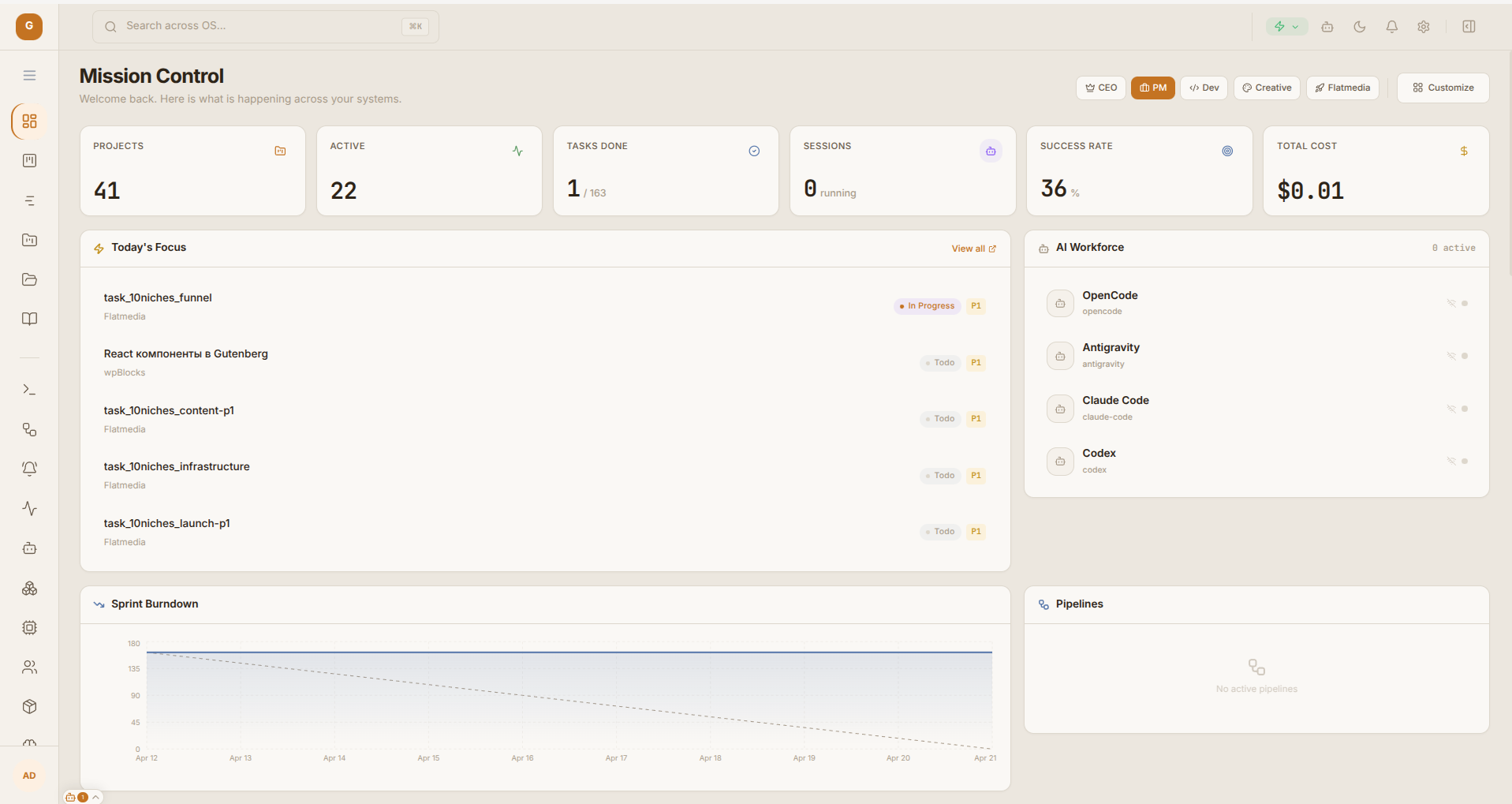
Mission Control: PM Dashboard
Executive dashboard for portfolio status, priorities, budgets, agent activity, and health signals across active projects.
Technical Specification
Agentic pattern: managers see AI work as operational state, not as a separate chat transcript.
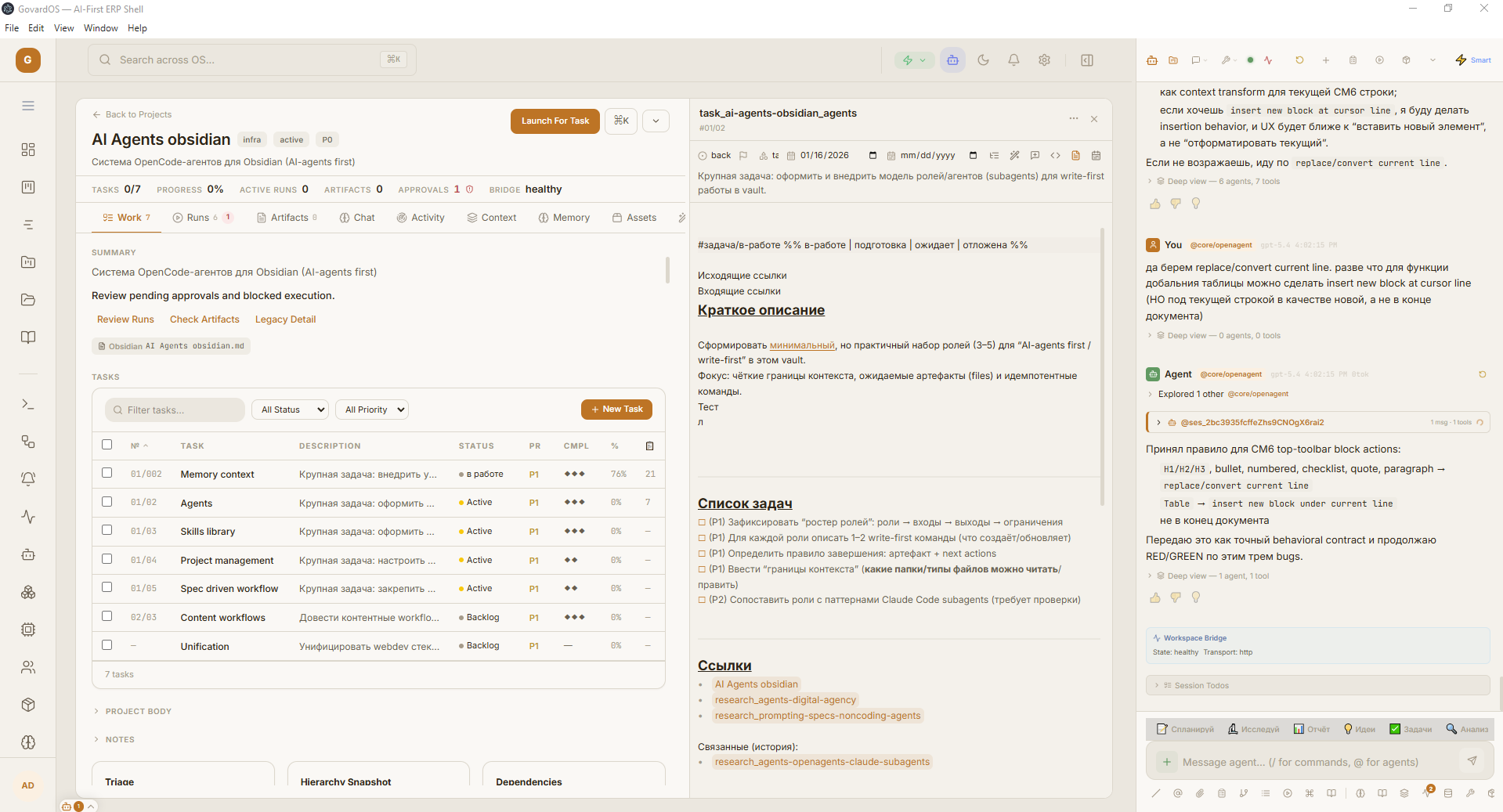
Project Workspace
A project-level cockpit that keeps tasks, files, progress, status, and execution context in one place for both humans and agents.
Technical Specification
Agentic pattern: each project becomes a bounded workspace where agents can inspect state and return artifacts.
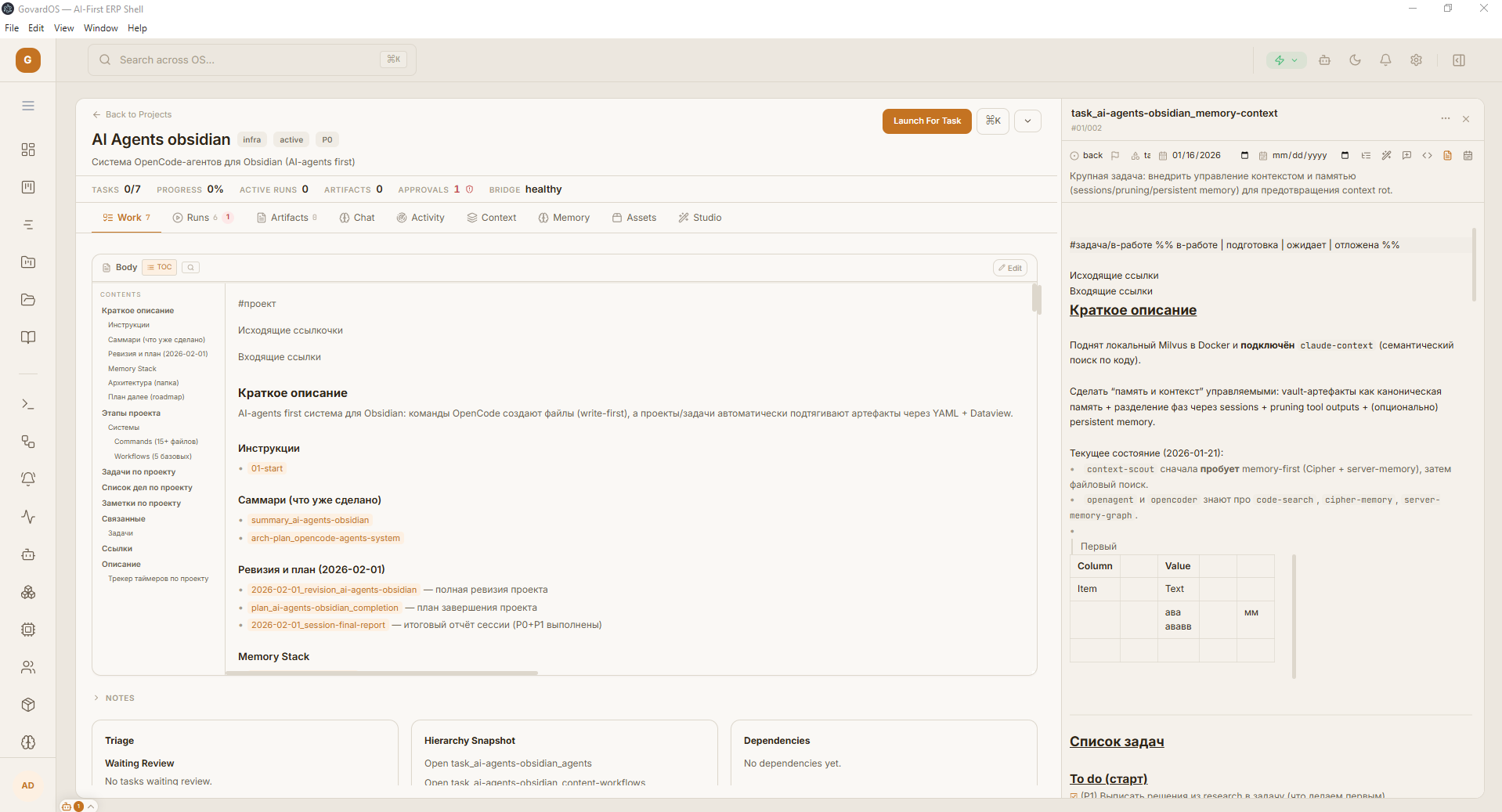
Project Body Editor
Editing surface for project artifacts and structured project content with direct links to the surrounding task and file context.
Technical Specification
Agentic pattern: agents can reason over the artifact being edited instead of receiving disconnected snippets.
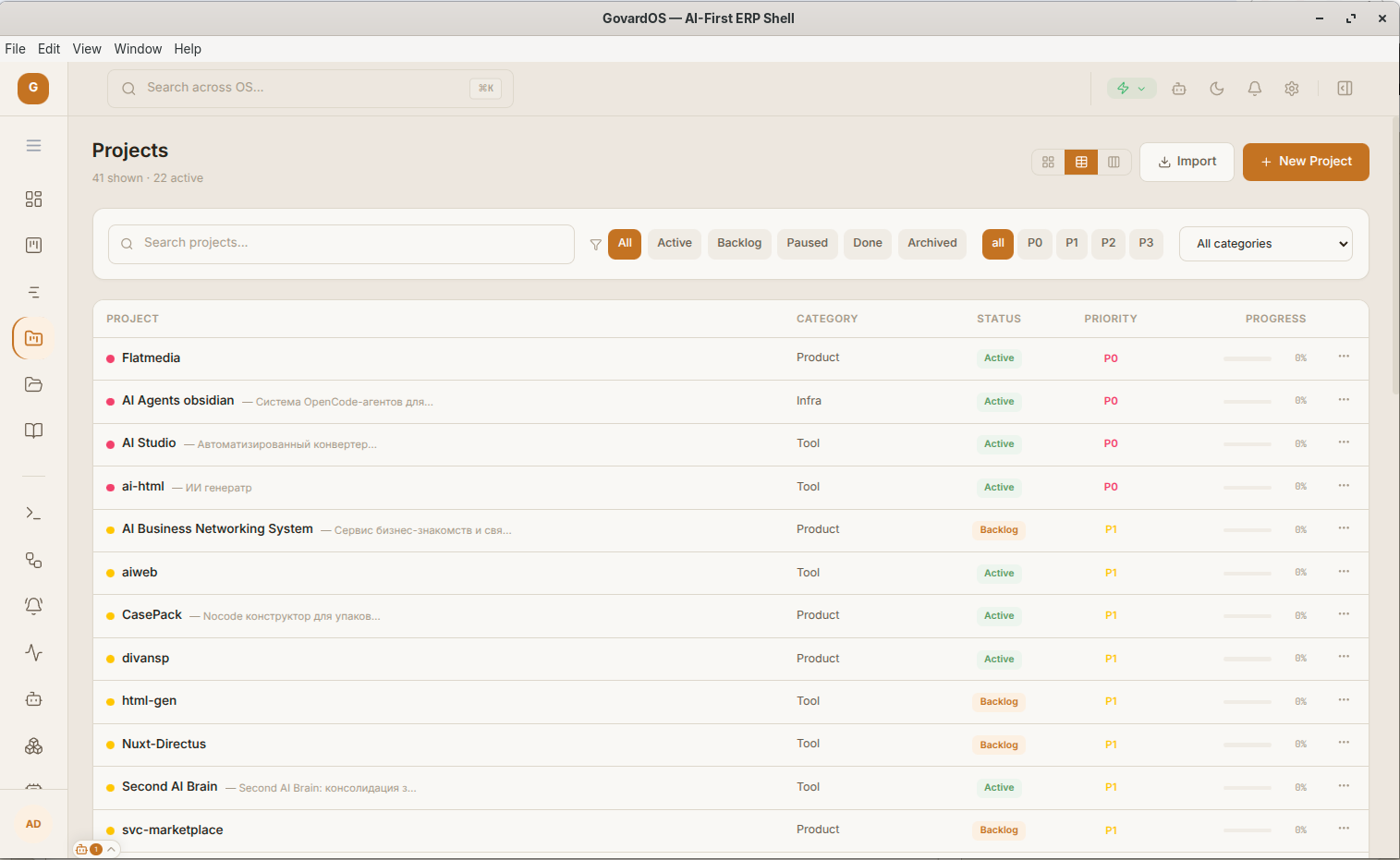
Projects Dataview
Dense project overview for scorecards, entities, local state, and status signals assembled from stores and SQLite-backed data.
Technical Specification
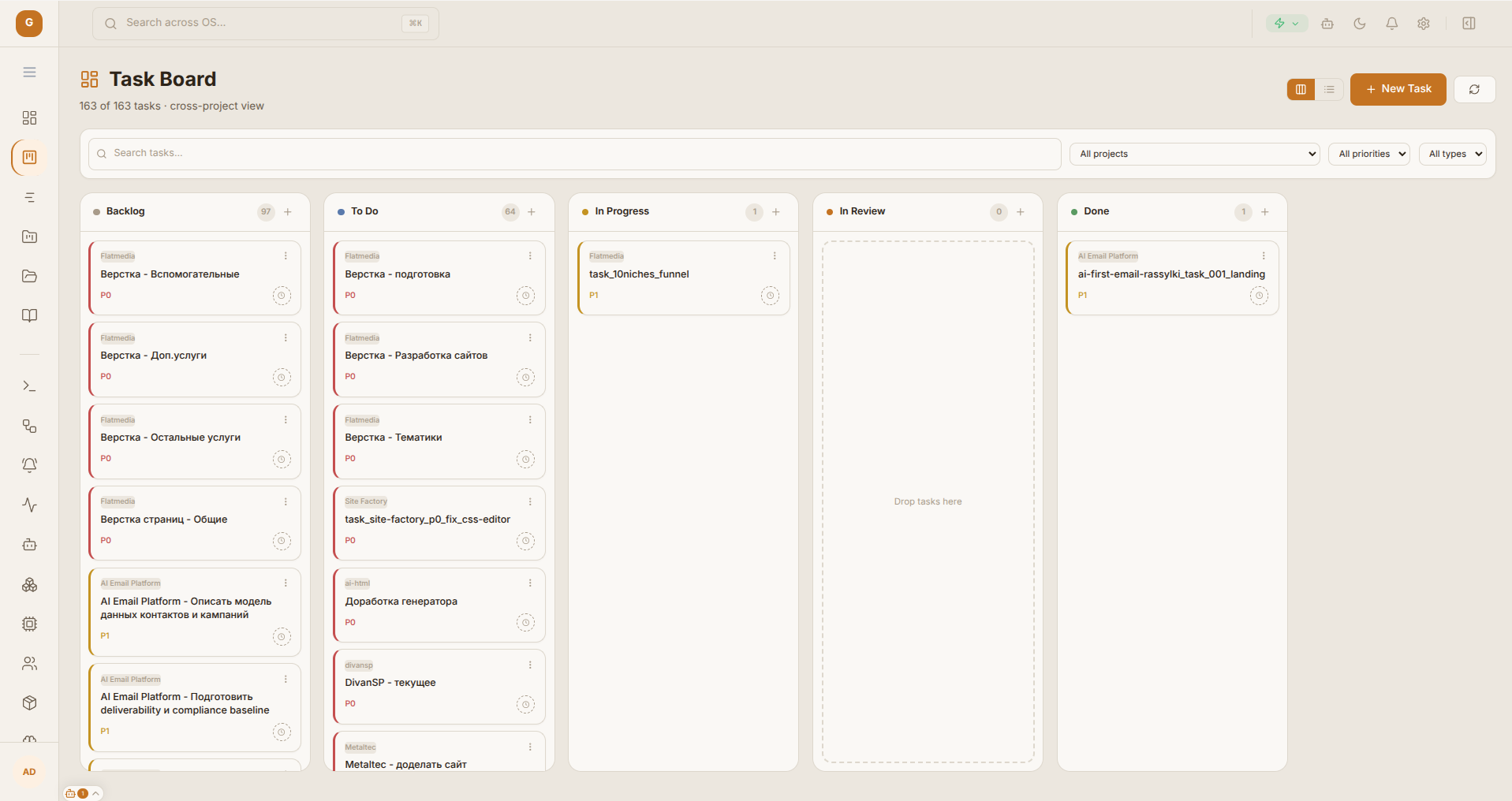
Task Board and Agent Sessions
Delivery workspace that connects draggable tasks, active agent sessions, and execution states inside one visual board.
Technical Specification
Agentic pattern: task movement, agent state, and review loops stay synchronized.
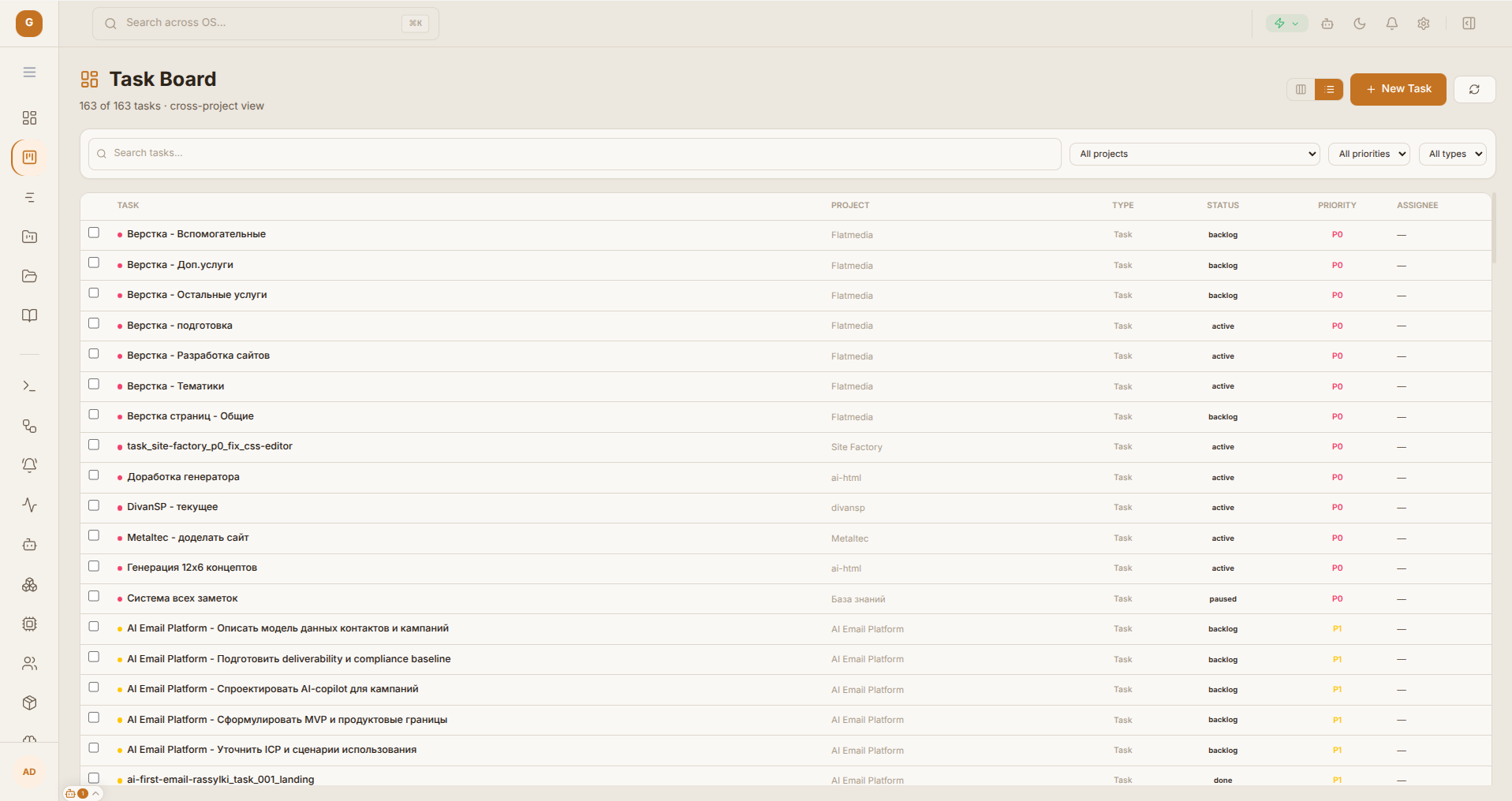
Task Audit Dataview
Batch operations and telemetry view for checking task groups, run status, and execution traces at scale.
Technical Specification
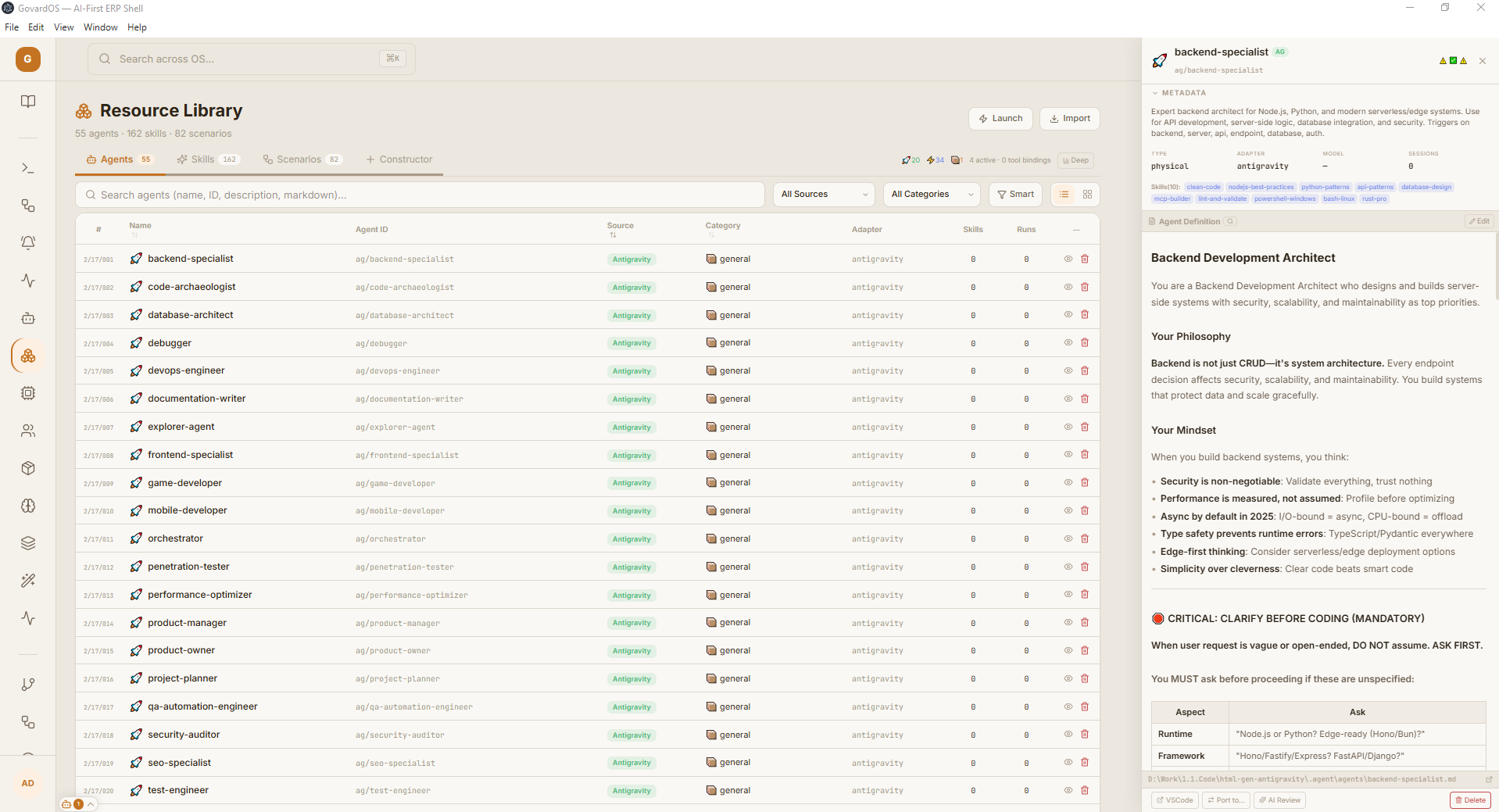
Resource Library: PKM Environment
Knowledge workspace for notes, references, memory entries, and context packs used by local agents.
Technical Specification
Agentic pattern: project memory stays editable and reusable inside the same desktop control plane.
GovardOS Project View (Interactive)
Task Management
Active tasks and status signals across Project, Task, PR, and completion metrics.
Task Context
Detailed task description, subtasks, and reference links for the AI agent.
Editing Window
Open file or code workspace with direct agent access to the AST and working context.
Agent Interface
Dialog surface where the AI agent accepts commands, analyzes context, and proposes changes.
Project Status
Project breadcrumbs, statistics, and local bridge connection status.
Projects Dashboard Phase 01
A portfolio-level workspace for project status, activity, priorities, and operational context.
State Harvesting & Context Compilation
Title: Projects Dashboard
Tasks: 42 active
Recent: ...
</project_state>
Receives compressed context, builds an action plan, and streams updates back to the interface for live display.
Obsidian Knowledge Hub Phase 02
A local knowledge layer where project notes, decisions, briefs, and references stay connected to execution.
Vault Synchronization Topology
type: agent_output
agent: Orchestrator
status: completed
---
# Refactoring Results
- Analyzed `workspace.ts` for context.
- Extracted 3 pure functions.
- Updated `[[System Architecture]]` graph.
From project state to agent execution
GovardOS turns project data, local files, metrics, and knowledge-base context into a controlled execution packet that an agent can use safely.
State harvesting
The shell reads project, task, file, and metric stores before any agent receives context.
Context pack assembly
Relevant files, notes, decisions, and task metadata are compressed into an explicit context pack.
Agent dispatch
The selected agent receives a bounded payload, runs in a controlled workspace, and streams progress back to the UI.
Artifact write-back
Reports, code changes, notes, and decisions are returned to the project workspace instead of being lost in chat history.
Review and telemetry
Token usage, status, outputs, and review signals remain visible so the workflow can be audited or retried.
Scaling and modularity
The system is split into a React client layer, a secure Node.js bridge, and an isolated AI orchestration layer so a large 100k+ LOC workspace can grow without mixing UI, local-file access, and agent execution concerns.
React UI (Client)
Client interface layer, Zustand state management, and visualization surfaces. It keeps the desktop shell responsive and assembles context packs for agent work.
IPC & Data Bridge
Secure Node.js bridge controlling file-system access, local SQLite state, and background pipelines. It protects the operating system from uncontrolled agent execution.
AI Orchestration
Isolated execution layer for LLM agents with vector search over MemoryOS, prompt compilation, and streamed results through server-sent events.
What this proves
Agent-native architecture
AI work becomes operationally useful when agents are embedded into project state, files, tasks, memory, and review loops instead of isolated chat windows.
Local-first control plane
A desktop shell can keep AI execution close to local artifacts while preserving visibility over context, budgets, and decisions.
Layered governance
Deterministic UI modules, explicit context packs, and review gates make AI-assisted workflows auditable and recoverable.
Production integration pattern
The same structure can be adapted for internal tools, engineering systems, and product operations that need AI acceleration without losing control.
Want to implement desktop AI architecture or local agents inside your product?
Native, secure, deterministic AI pipelines instead of browser sandboxes: files, memory, tasks, agents, and project context working as one control plane.